
Live checkout rates for WooCommerce
Updated 2026-09-07
On this page
Show live UPS, USPS, and FedEx rates from NitroMule at WooCommerce checkout for United States stores. The service the shopper picks imports onto the NitroMule order as the requested service.
Requirements
- Completed WooCommerce connection
- Default ship-from address in NitroMule
- Store sells and ships to the United States (Checkout Rates are US-only)
- Checkout Rates enabled on the NitroMule WooCommerce store card
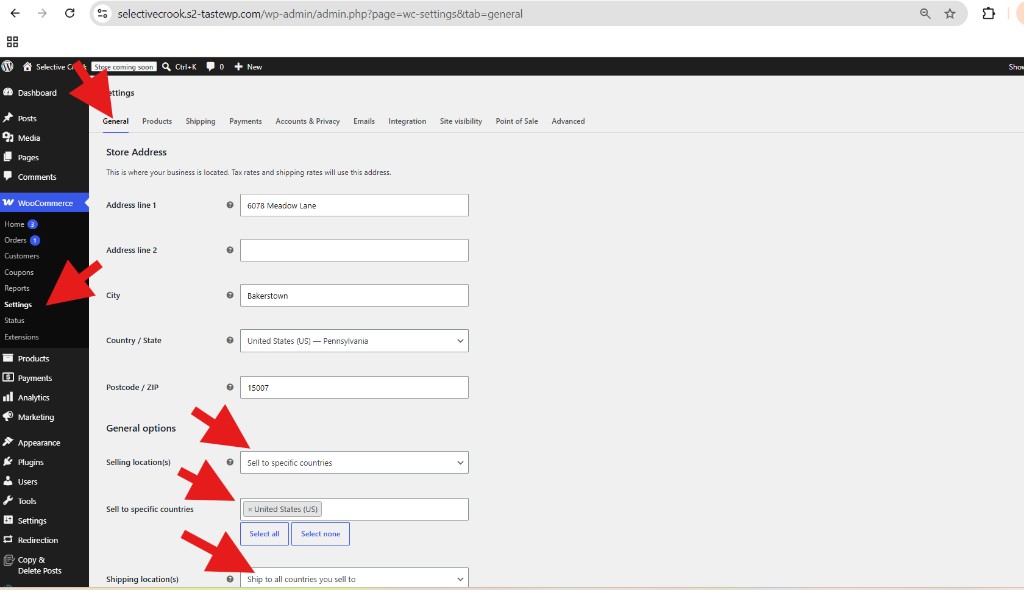
Limit selling and shipping to the United States
- In WordPress, go to WooCommerce → Settings → General.
- Under General options:
- Selling location(s): Sell to specific countries → United States (US)
- Shipping location(s): Ship to all countries you sell to
- Save changes.
Turn on Checkout Rates
- Confirm the default ship-from is set in NitroMule.
- On the WooCommerce store card, enable Checkout Rates.
- NitroMule pushes that setting to your store and typically:
- Turns on Checkout Rates in the plugin
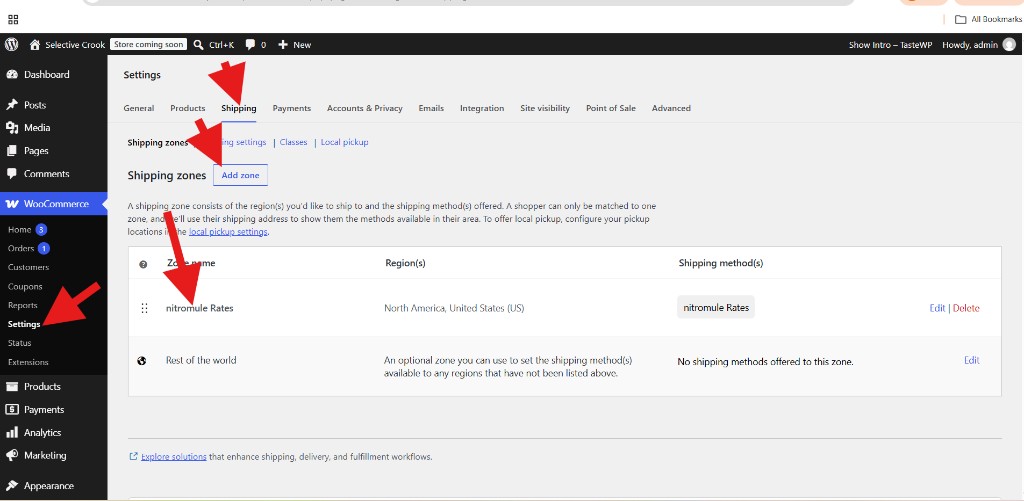
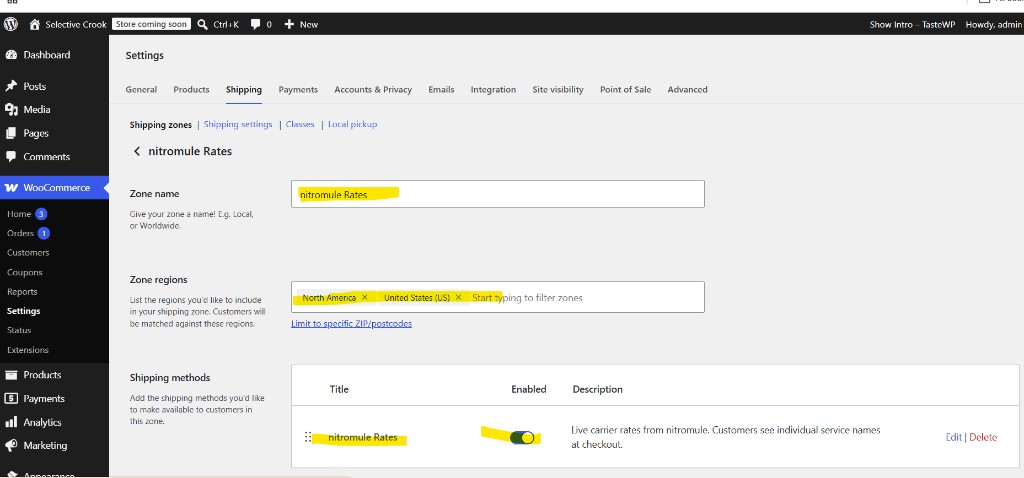
- Adds NitroMule Rates to a United States shipping zone (or creates a zone named NitroMule Rates)
You usually do not need to create the shipping zone by hand. Verify under WooCommerce → Settings → Shipping → Shipping zones.
Test at checkout
- As a customer, add a physical product to the cart.
- Enter a United States shipping address.
- Confirm NitroMule carrier services appear with prices.
- Place a test order choosing a NitroMule rate.
- In NitroMule, Sync / open Orders and confirm the requested service imported.
Checklist
- Default ship-from set (Addresses → Set default → Ship From)
- Store connected and Test Connection OK
- Woo sells/ships to the United States
- Checkout Rates enabled on the NitroMule store card
- NitroMule Rates visible on a US shipping zone
- Test checkout shows live services
Troubleshooting
- No rates at checkout — zone missing method; Checkout Rates off; non-US address; see troubleshoot WooCommerce
- Rates appear but order missing in NitroMule — Export Order Statuses / Sync
- Wrong service on the order — confirm the shopper selected a NitroMule method, not a flat-rate fallback
Full connect guide: Connect WooCommerce.